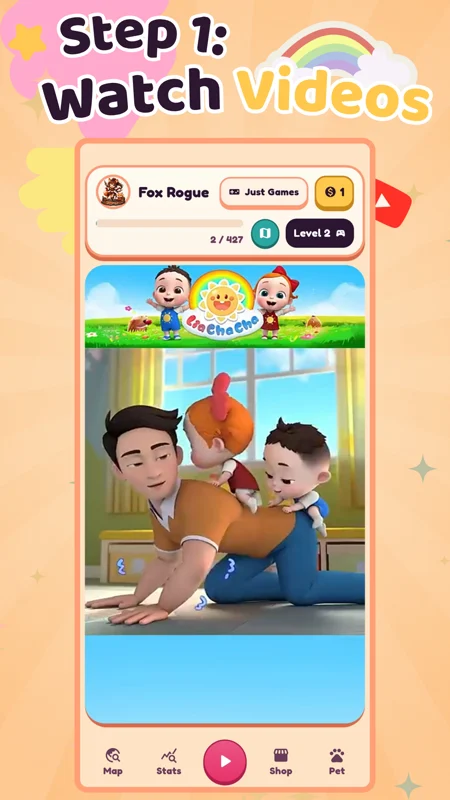
1
Watch a Short Video
Kids start with a short, friendly video that introduces the topic and keeps them interested.
Videos help children stay engaged before they begin the learning activity.
Like YouTube Kids, but with learning games after videos — free for kids ages 3–10
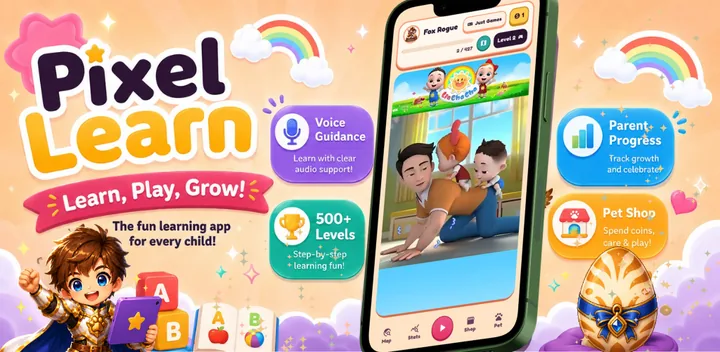
Pixel Learn is a free learning app for kids ages 3–10. Children watch short videos, play educational games, earn coins, and care for a cute digital pet — all while practicing letters, numbers, memory, colors, tracing, directions, and early school skills.
Ages 3–10 · Voice Guidance · 500+ Levels · Parent Progress · Digital Pet · Autism & ADHD Friendly
.webp)
Free educational Android app
PIXEL-LEARN is a free educational Android app for kids ages 3–10. It feels familiar like a kids video app, but instead of only watching, children also play learning games after videos.
Kids practice letters, numbers, memory, colors, tracing, directions, and early school skills through short voice-guided games. The app is simple enough for children who cannot read yet, and calm enough for kids who need repeatable visual learning, including children on the autism spectrum or with ADHD.
After completing games, kids earn coins and use them to feed, care for, and decorate a cute digital pet. This makes learning feel like play and helps children come back to practice every day.
Parents can also see progress, completed games, coins earned, and the skills their child practiced. PIXEL-LEARN supports English, Hebrew, Russian, and Arabic, and is free on Google Play.
Choose your hero and start learning through adventure.
.webp)
.webp)
.webp)
.webp)
.webp)
.webp)
.webp)
.webp)
.webp)
.webp)
Four simple steps
Four simple steps. Every session teaches a real skill and rewards the child with coins to care for their pet.
Kids start with a short, friendly video that introduces the topic and keeps them interested.
Videos help children stay engaged before they begin the learning activity.
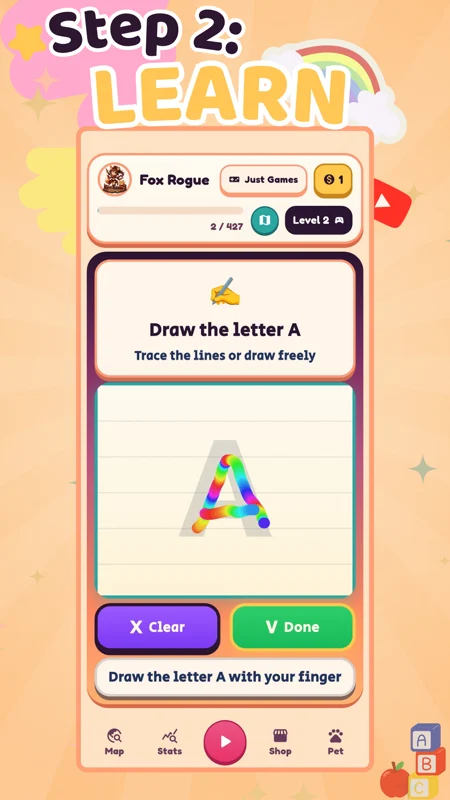
After the video, kids complete a short educational game. They practice letters, numbers, memory, colors, tracing, directions, and more.
Every lesson is short, simple, and voice-guided so kids can understand what to do.
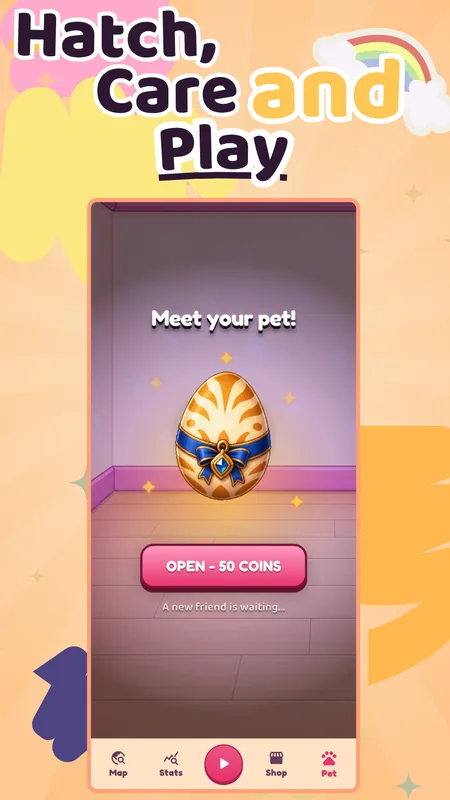
When kids complete games, they earn coins. They can use coins to feed, care for, and decorate their cute digital pet.
Learning feels like play because every correct answer helps the pet.
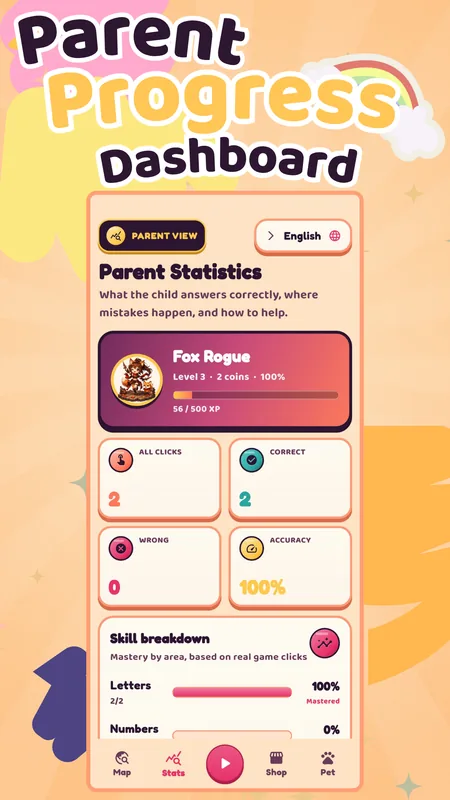
Parents can see what their child practiced, which levels were completed, coins earned, and learning progress.
A simple parent dashboard shows activity, skills, and progress over time.
See the app
Watch how kids learn through play — earning coins, caring for their pet, and leveling up every day.
Download Free on Google Play500+ Learning Games
Pixel Learn teaches early skills through short, voice-guided games with smart repetition. Each letter, number, or skill is practiced several times in different game types — so children do not only “see it once,” they repeat it, recognize it, trace it, match it, and use it again.
This helps kids build memory, focus, confidence, and real understanding step by step.
Children practice every letter through different activities: find the letter, match the letter, hear the sound, connect letters to words, trace the letter, and repeat it in several games.
Each letter is practiced multiple times in different ways for better memory.
Kids learn numbers through counting, matching, number order, drawing numbers, choosing the right number, and fun pop-up number games.
Every number is repeated in different activities so children can recognize and understand it.
Pixel Learn helps children connect letters to simple words and pictures, building early reading readiness in a playful way.
Short word games help children start understanding how letters become words.
Memory games help children practice attention, recall, matching, visual focus, and concentration.
Repeatable games support stronger memory without pressure.
Children learn and recognize colors through visual games, matching activities, and simple choices.
Color games help kids build visual recognition and early thinking skills.
Kids practice directions and position words like left, right, up, down, inside, outside, above, below, near, and next to.
These games help children understand space, movement, and everyday instructions.
Children learn the structure of the day: morning, afternoon, evening, and night.
Day-order games help kids understand routine, time, and daily sequence.
Pixel Learn includes clock games to help children start understanding time, daily routines, and simple clock reading.
Time games prepare kids for school and everyday independence.
Kids learn about spring, summer, autumn, and winter through matching, choosing items, and season-based activities.
Season games help children connect learning to the real world around them.
Children draw and trace letters and numbers with their finger, helping develop fine motor skills and early writing confidence.
Tracing games make letter and number practice more active and hands-on.
Every game can explain the task aloud, so children who cannot read yet can still understand what to do.
Voice guidance helps preschoolers, early learners, and children who need extra support play more independently.
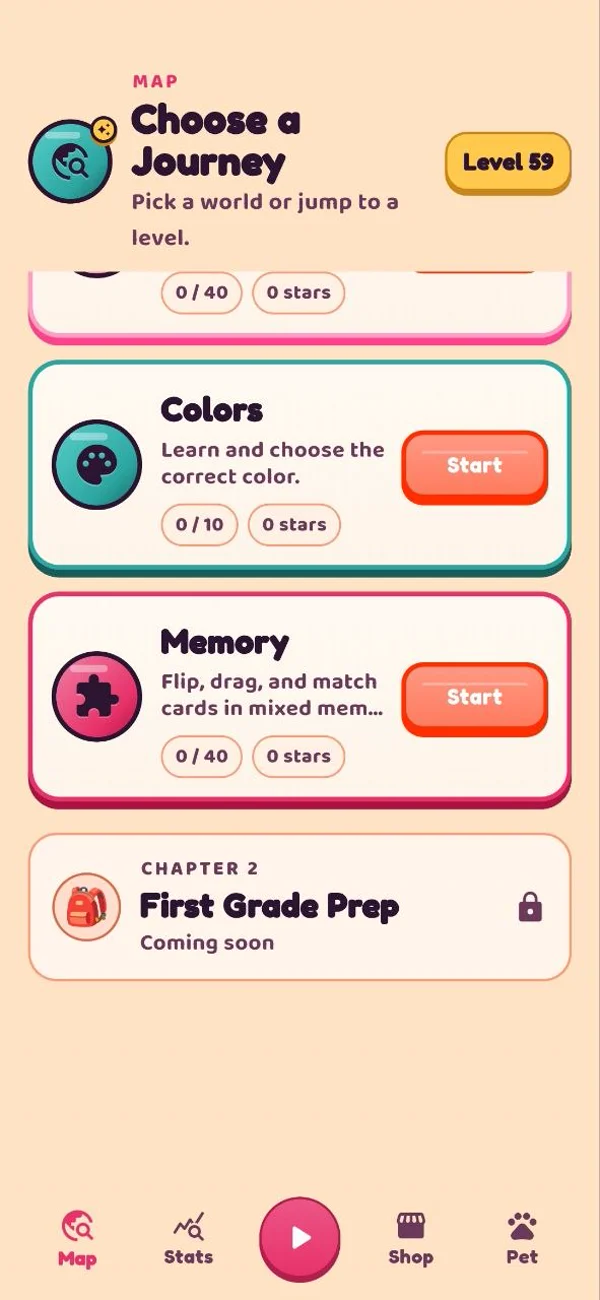
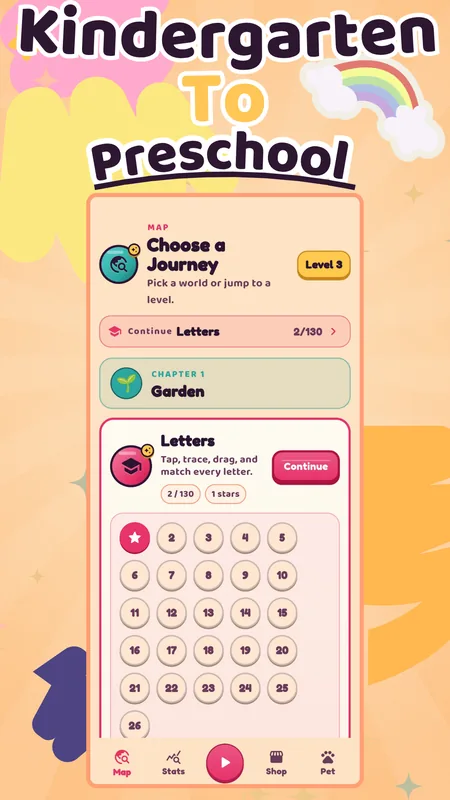
Pixel Learn uses a structured level map with 500+ activities. After the early learning chapters, children can continue into first grade preparation with stronger school-readiness skills.
The learning path grows with the child — from preschool basics to first grade readiness.
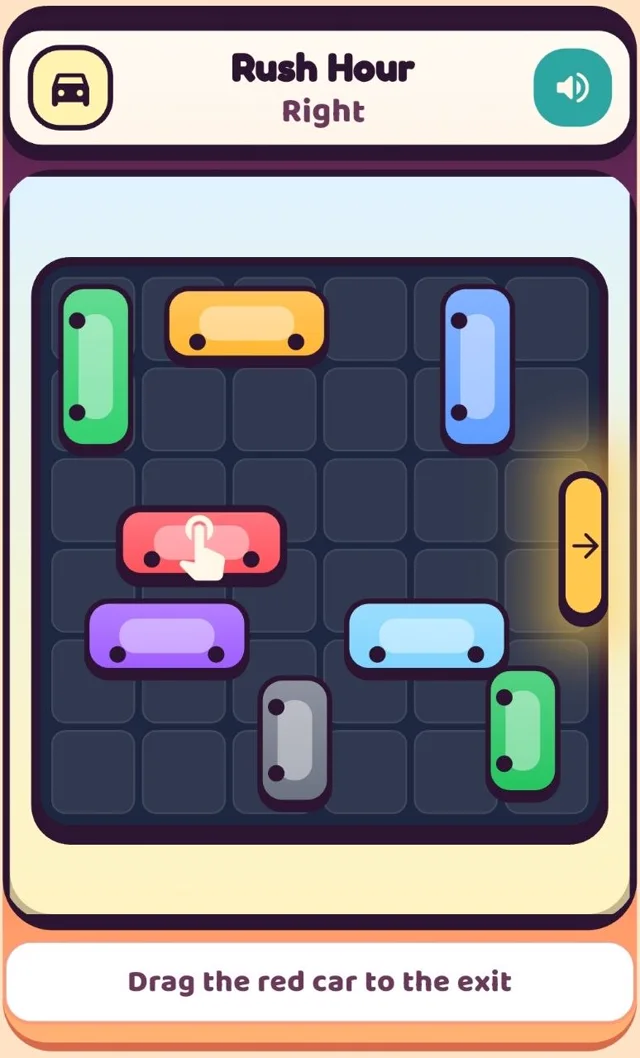
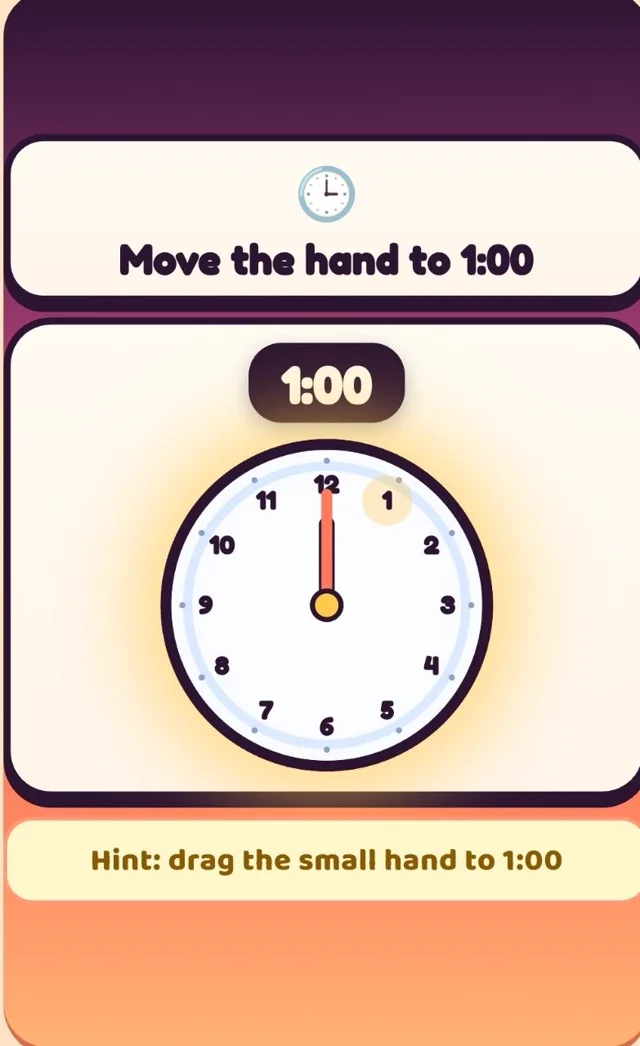
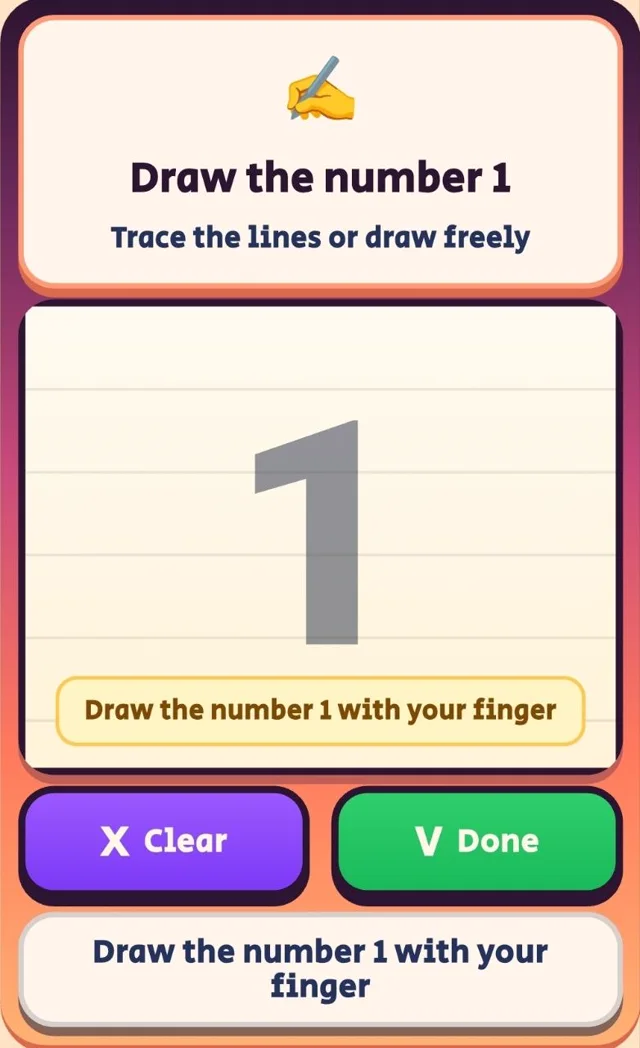
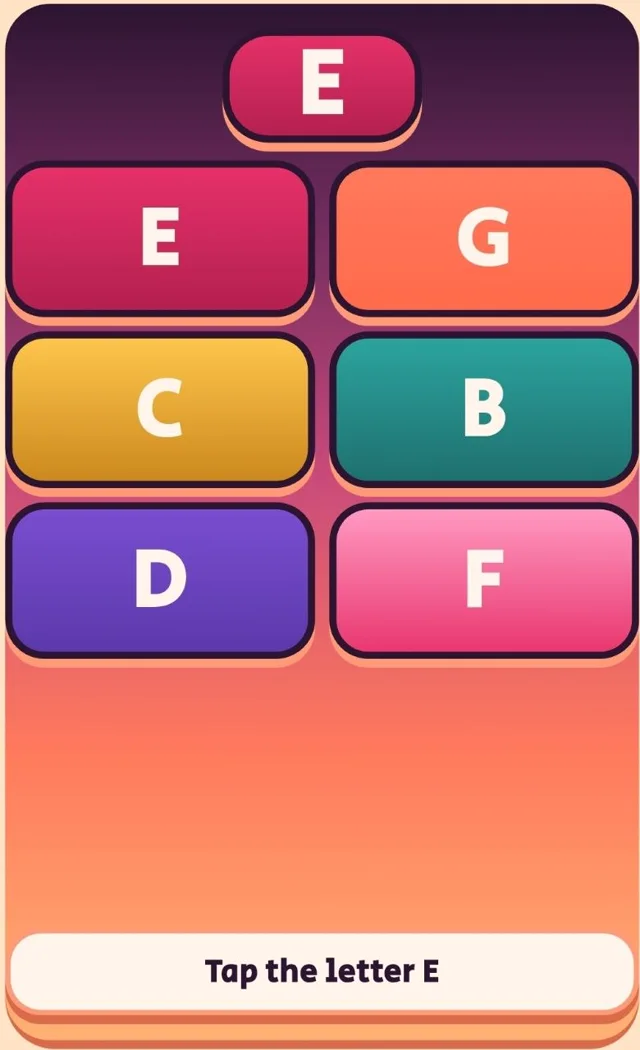
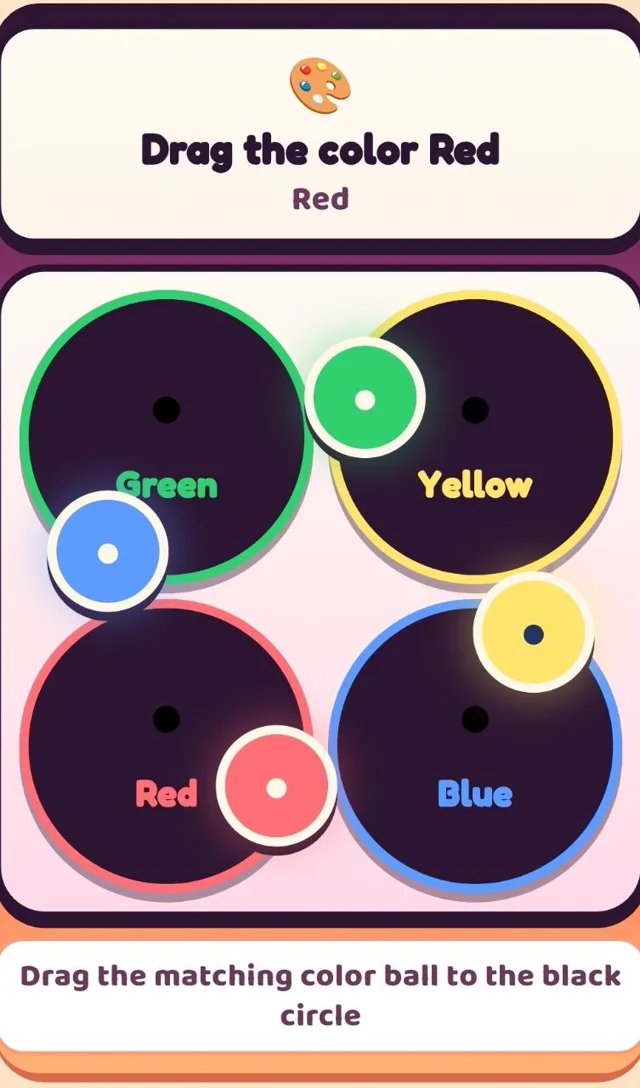
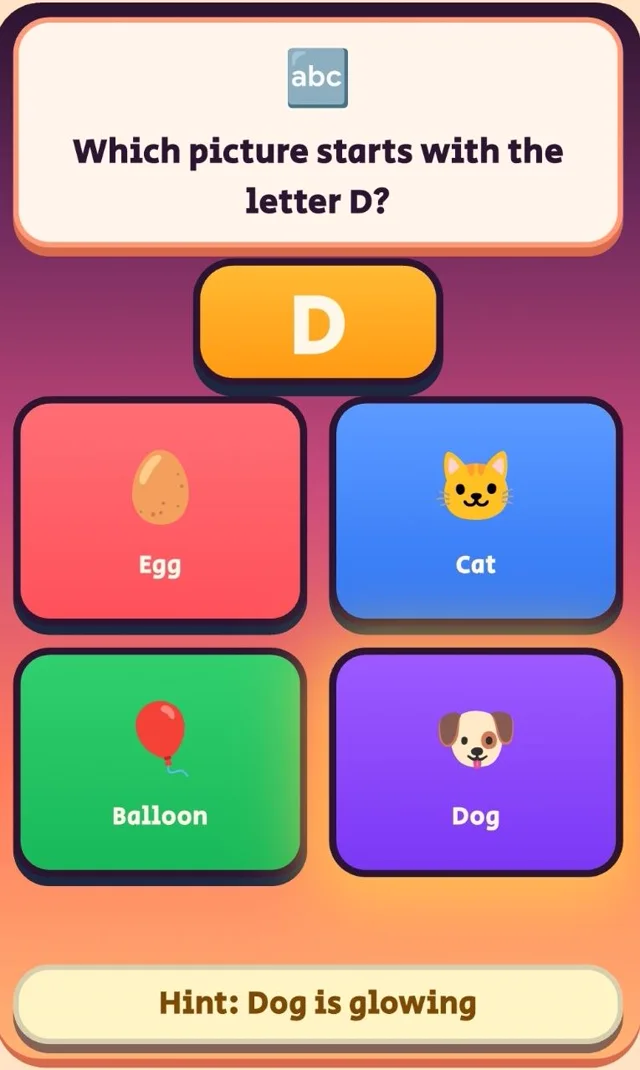
Six of 500+ levels - letters, numbers, memory, colors, tracing, directions
Pet care rewards
Coins earned from learning unlock a whole world of pet care — the daily reason children return to practice.
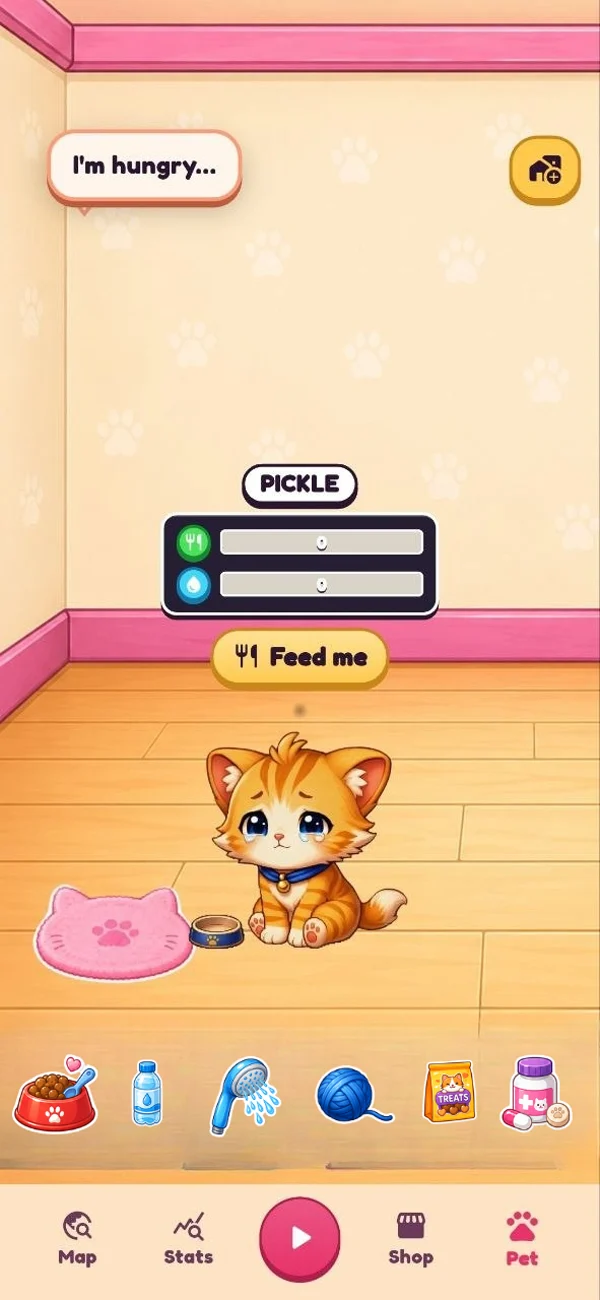
Spend learning coins
Children choose how to spend their learning coins — building excitement and a sense of responsibility.

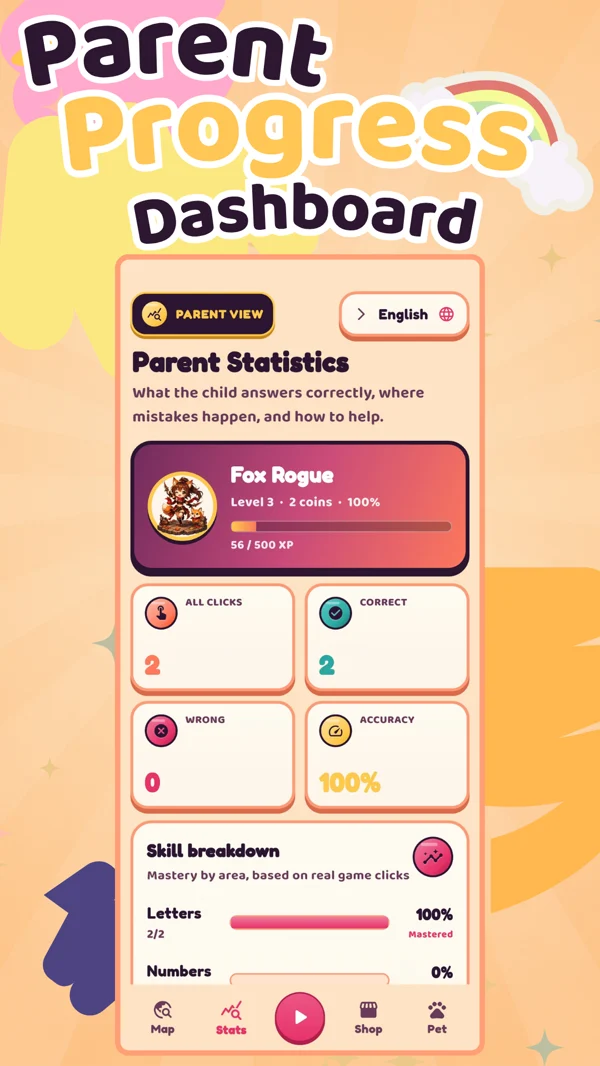
For parents
A dedicated progress screen shows parents exactly what their child has been practicing.
Learning journey
PIXEL-LEARN builds the foundational skills children need before they start school.
Different learning needs
PIXEL-LEARN's structure — short sessions, voice guidance, visual rewards, and calm repetition — makes it especially effective for children with different learning needs.
Parent resources
Get app updates, new learning levels, parent tips, printable activity pages, learning worksheets, and helpful PDF resources for kids ages 3-10.
Free resources, practical ideas, and product updates. No spam.
Parent resources
Guides and research-backed tips for supporting early learning at home.
School Readiness
A practical checklist for letters, numbers, listening, memory, fine motor skills, and confidence.
Learning Apps
What to look for — and which features actually make a difference for preschoolers.
Parenting
Simple daily habits and screen-time tips that build early literacy without pressure.
Child Development
The psychology of reward-based learning and why digital pets improve daily retention.
Frequently Asked Questions
PIXEL-LEARN is designed for kids ages 3–10. Games are short, visual, and voice-guided so even young children can play independently.
Letters, numbers, memory, matching, colors, directions, prepositions, tracing, sequences, and early school readiness.
Yes. Every game has voice support — children don't need to read to play. The app explains each task out loud.
Yes. Parents can view their child's level, coins, games completed, and recent learning activity.
English, Hebrew, Russian, and Arabic — with full RTL support for Hebrew and Arabic.
Yes. PIXEL-LEARN is free to download on Google Play.
Download PIXEL-LEARN free and watch your child grow through play.
Download on Google Play